1. Log in to the Continuum platform.

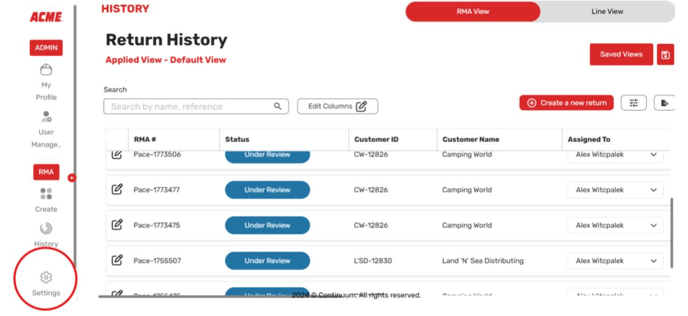
2. Select Settings at the bottom.
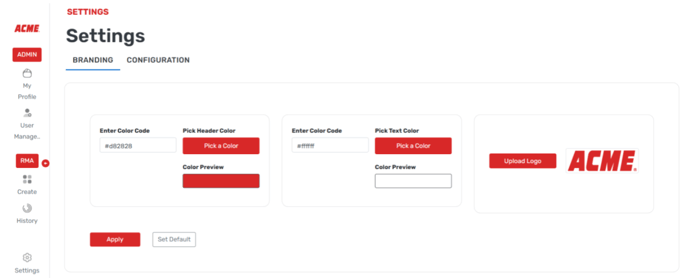
3. On the screen that comes up, you can select the primary and secondary numbers hex codes as well as upload a logo.
4. Select Apply.
![Continuum-Logo-FC-1.svg]](https://support.gocontinuum.ai/hubfs/Continuum_Sr/Images/Continuum-Logo-FC-1.svg)
1. Log in to the Continuum platform.
2. Select Settings at the bottom.
3. On the screen that comes up, you can select the primary and secondary numbers hex codes as well as upload a logo.
4. Select Apply.